
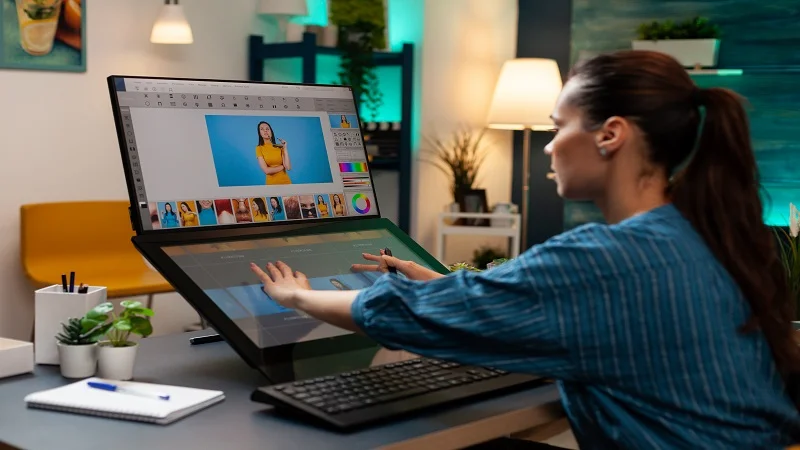
Visual content plays an important role in attracting attention across websites, video platforms, and social media. An attractive thumbnail helps people understand what a piece of content offers before they click on it. Whether you publish tutorials, entertainment videos, educational resources, or blog articles, a carefully designed thumbnail can improve the presentation of your work.
Creating customized thumbnails gives you more control over colors, images, layouts, and branding. You do not necessarily need professional design experience to get started. With a clear plan and suitable tools, you can develop a simple workflow that makes creating attractive visuals easier and faster.
What Is a Thumbnail Maker?
A thumbnail maker is a design tool that allows users to combine images, text, colors, and graphic elements into a preview image. These images commonly represent videos, articles, online courses, and other digital content.
A custom tool can include features such as image uploading, cropping, text customization, background selection, and downloading. These functions help users produce designs that match their specific needs rather than depending entirely on pre-designed templates.
Benefits of Creating Your Own Thumbnail Designs
Greater Creative Freedom
Designing your own thumbnails allows you to experiment with different layouts, color combinations, and image styles. You can develop a unique appearance that reflects your content and creative preferences.
Consistent Branding
Using similar colors, fonts, and visual elements across your content creates a recognizable style. This consistency can help viewers identify your videos or articles when browsing online.
Time-Saving Workflow
Once you establish a suitable layout, you can reuse its structure for future projects. Changing the image, heading, or background may be enough to create a fresh design without starting from the beginning.
Better Content Presentation
A relevant thumbnail communicates the subject quickly. It can make your content appear more organized and help potential viewers decide whether it matches their interests.
Essential Features for a Custom Thumbnail Tool
Image Uploading and Cropping
Allow users to upload photographs or illustrations and adjust their position. Cropping features help keep the main subject visible within the selected dimensions.
Text and Font Customization
Text controls should allow users to add headings, adjust font sizes, and select colors. Keeping these options simple makes the design process easier for beginners.
Background and Color Selection
Background controls help users create different visual styles. A limited, coordinated color palette usually produces a cleaner result than combining too many unrelated shades.
Preview and Download Options
A live preview lets users review their designs before exporting them. Download functionality allows the completed image to be saved and used on a website or publishing platform.
How to Create Your Own Thumbnail Maker
To create your own thumbnail maker, begin by identifying the features you need. A basic browser-based version can use HTML for its structure, CSS for its appearance, and JavaScript for interactive editing.
Start with a simple interface containing an image upload option, a text field, color controls, and a preview area. Add the ability to position elements and export the finished design as an image.
Next, test the tool using different photographs, text lengths, and color combinations. Check that the preview updates correctly and that downloaded images maintain suitable quality. Make sure the interface works on desktop computers and mobile devices.
If you are not familiar with coding, you can begin with a visual design platform or a no-code website builder. As your skills develop, you can explore more advanced features such as image layers, reusable templates, and additional editing controls.
Tips for Designing Attractive Thumbnails
Choose a high-quality image that accurately represents the content. Make the main subject prominent, use contrasting colors carefully, and avoid unnecessary decorations.
Keep text short and readable, especially when the thumbnail will appear on a small screen. Preview your design at reduced size to check whether the important details remain visible.
Also, consider the platform where the image will be published. YouTube thumbnails commonly use a 16:9 aspect ratio, while other websites and social platforms may have different requirements. Check the relevant platform’s specifications before exporting.
Common Mistakes to Avoid
Avoid overcrowding your design with too many images, colors, or words. Low-resolution photographs and difficult-to-read fonts can also reduce visual quality.
Do not use misleading imagery that promises something the content does not deliver. Honest presentation helps establish trust with your audience. Additionally, use original design ideas rather than copying another creator’s work.
Conclusion
Creating customized thumbnails can help you develop a consistent visual identity and present your online content more professionally. By selecting useful editing features, maintaining a simple interface, and following basic design principles, you can build a practical workflow suited to your needs.
Start with essential functions, experiment with different styles, and improve your designs through regular practice. Over time, your customized thumbnail process can become an effective part of your content creation strategy.